A till
you actually own.
Take payments, track stock, manage customers, see what's selling. All on your own Mac — no monthly bill, no cut of your sales, no chance of getting locked out by some company in another country. Buy it once and it's yours forever.
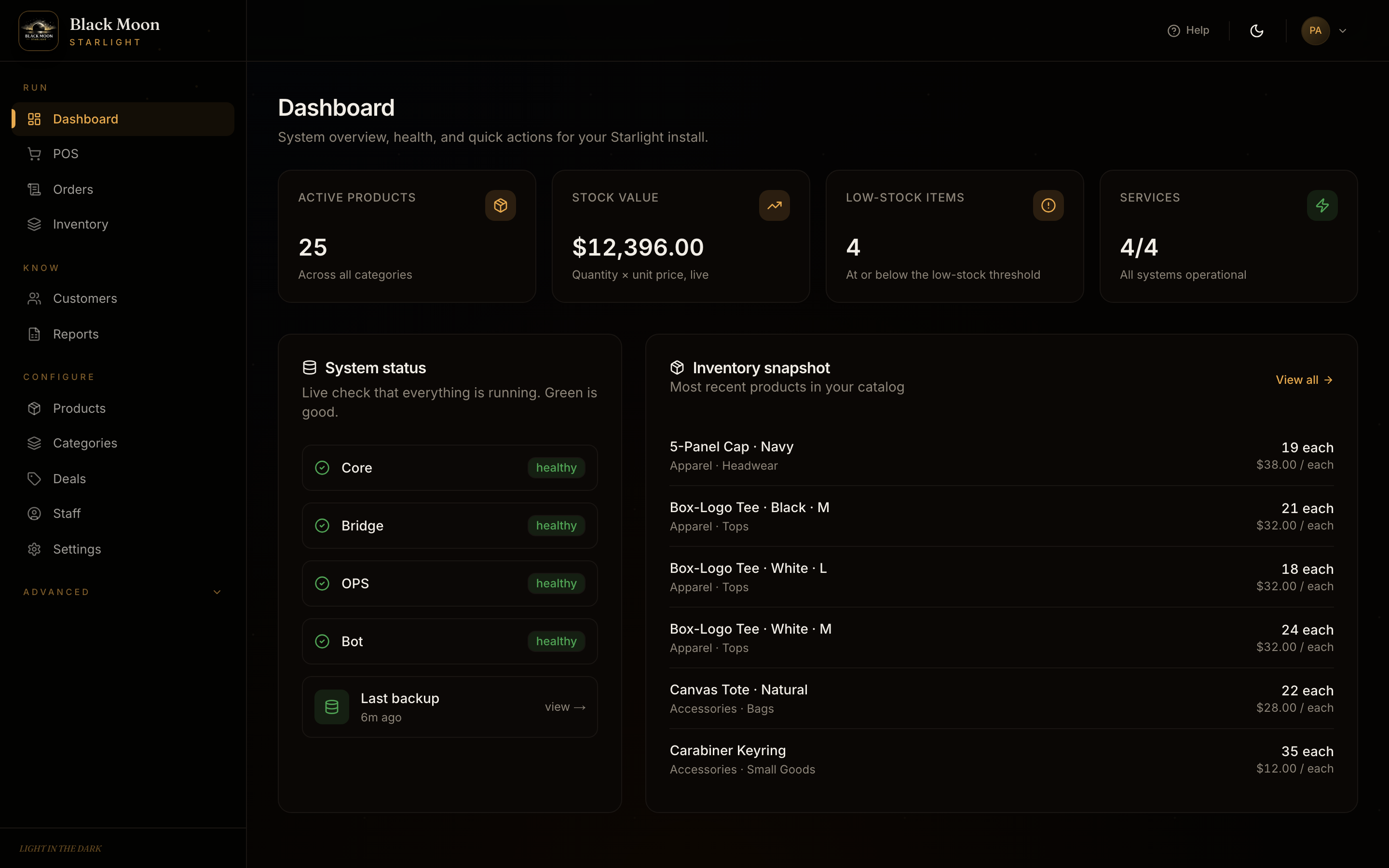
Latest updates.
No extra charge per person.
Square charges $35 a month per till. Shopify POS Pro is $89 a month per shop. With Starlight, your manager, your cashiers, your stockroom — everyone uses it, you pay nothing extra.
No cut of your sales.
Square and Shopify keep around 3% of every payment that goes through them. We never touch your money. Connect your own card reader, take cash, take bank transfers — it all goes straight to you.
Nobody can lock you out.
Your customer list, your prices, your sales history — they all live on your computer. We can't freeze your account, can't hike your bill, can't shut you down. If you ever stop using Starlight, your spreadsheets are right there waiting.
Ring up a sale in three taps.
Tap the product, take the payment, hand over the receipt. That's it. Stock counts go down straight away, so the iPad at the counter and the Mac in the back office always show the same number.
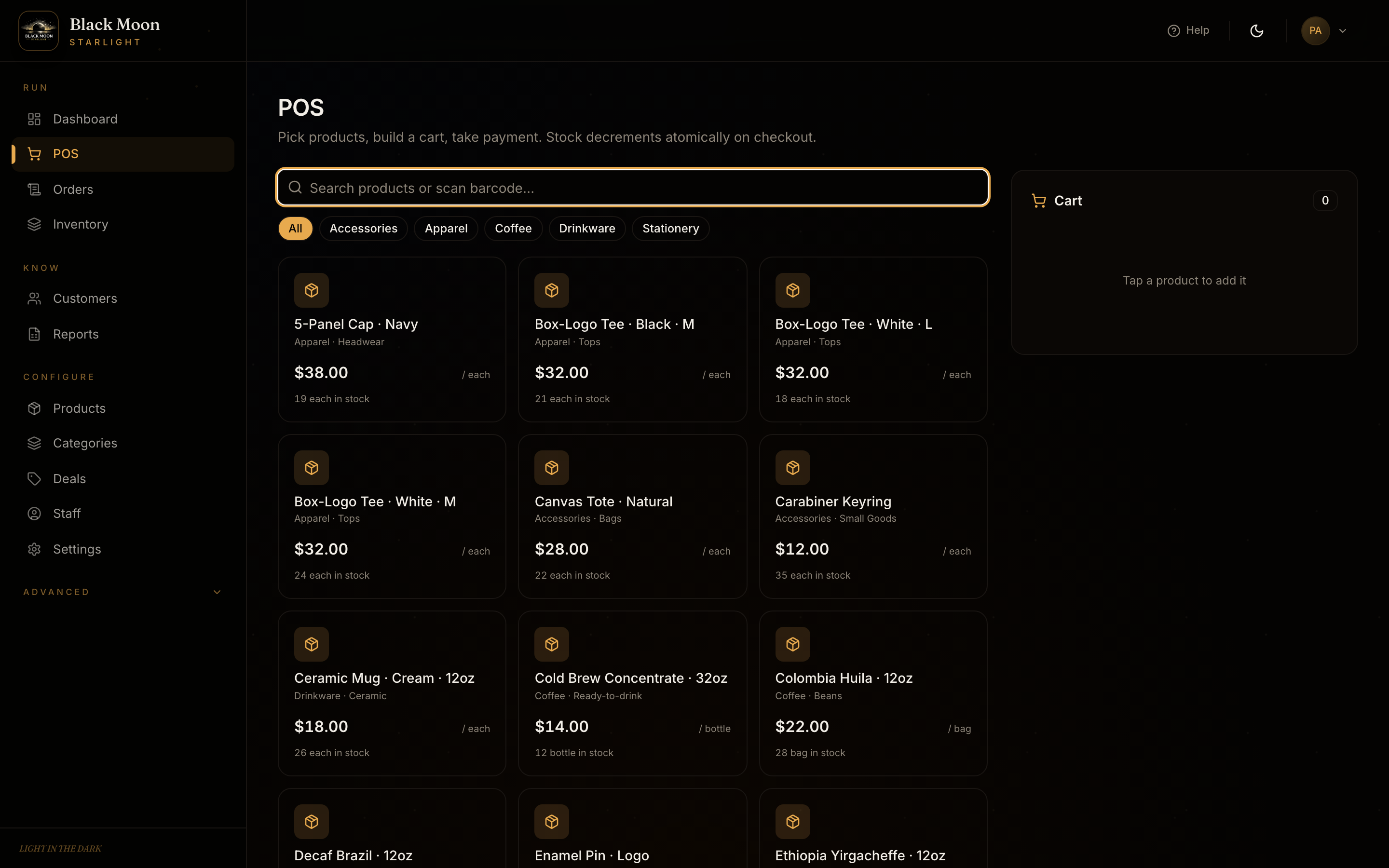
All your stock,
no spreadsheet hell.
Add products one at a time, or paste a whole list from Excel. Change prices in bulk. Get a quiet heads-up on the dashboard when something's running low — not 200 emails a day.
- · Name your own categories, the way your shop thinks
- · Import from a spreadsheet in seconds
- · Deleted something by accident? It's in the trash for 30 days
- · Sizes, colours, wholesale prices — if you need them
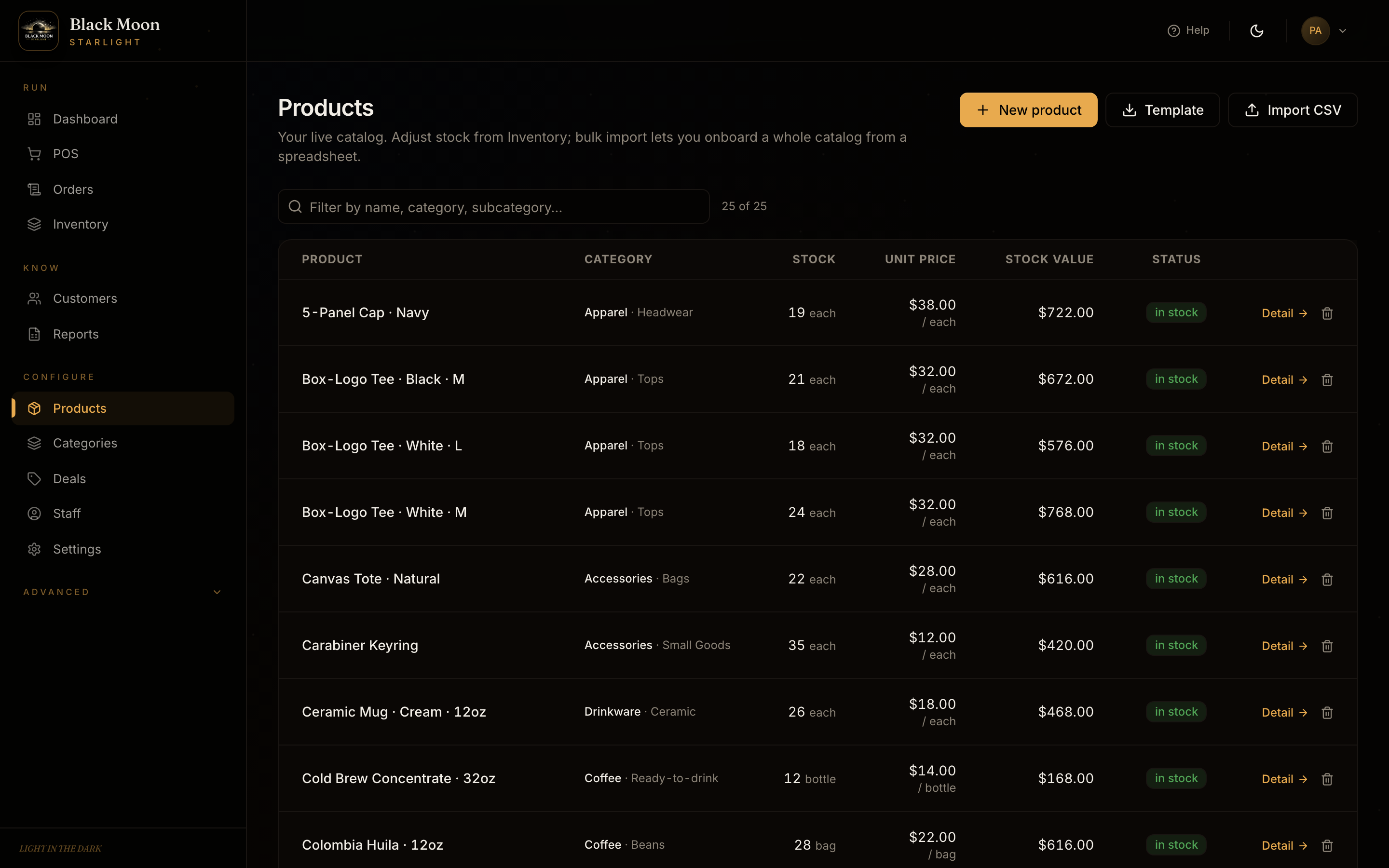
Run several shops from one place.
Got two shops? Three? A market stall AND a website? Each one keeps its own products, its own customers, its own sales history. Switch between them with a click — like switching tabs in your browser.
- Nothing leaks between shops. Your candle shop's customers don't turn up in your café's reports.
- Different name, logo, and currency per shop. Studio tier.
- Give a manager access to just their shop. Not the others.
- One payment covers it all. Pro covers 3 shops, Studio is unlimited.
Square charges you another $89 a month for every extra location. Here, you just add it.
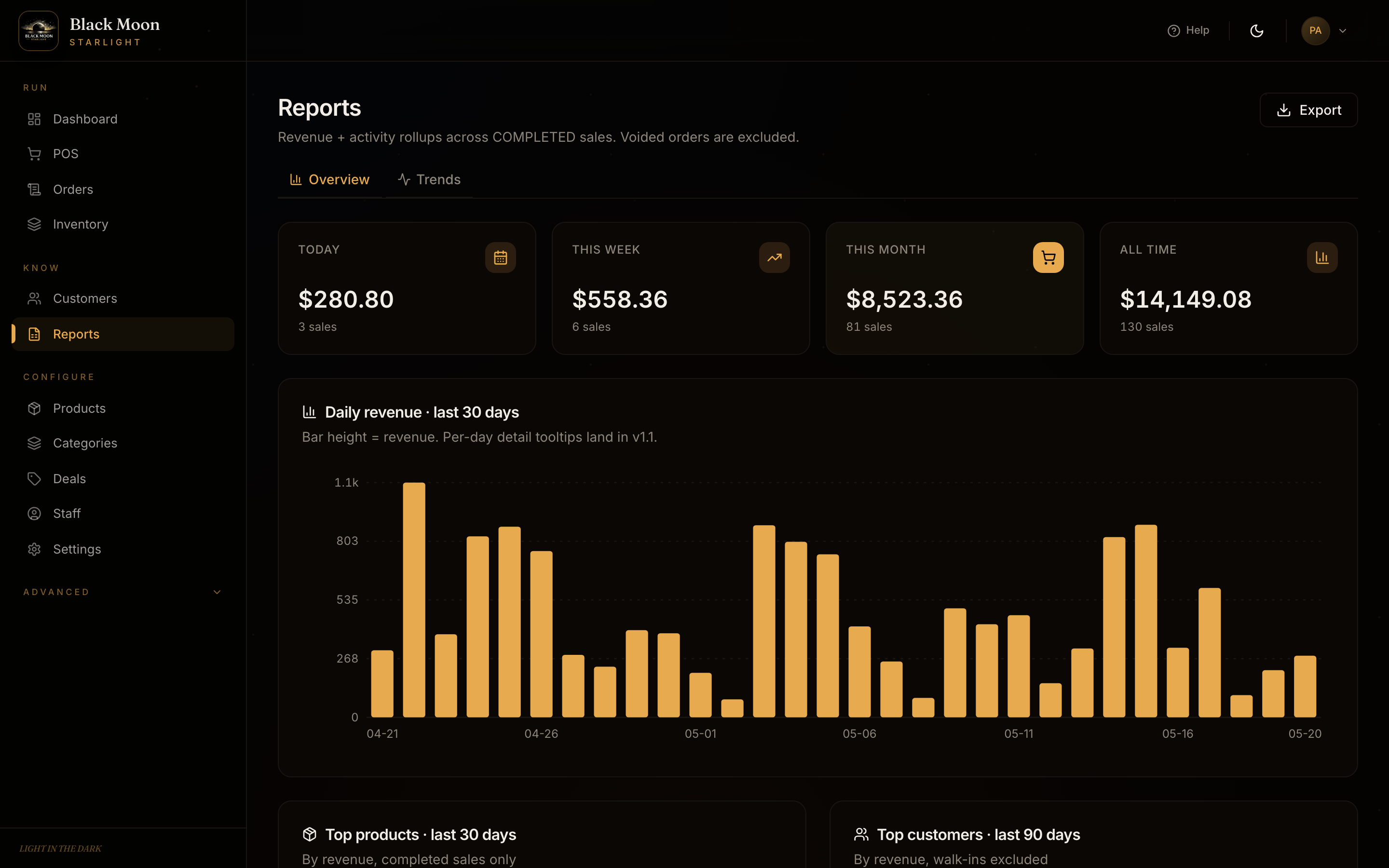
See what's actually selling.
Today's takings, this week, this month, all year — real numbers, not guesswork. See your top products, your top customers, what time of day is busiest. Save it all to a PDF or a spreadsheet for the accountant in one click.
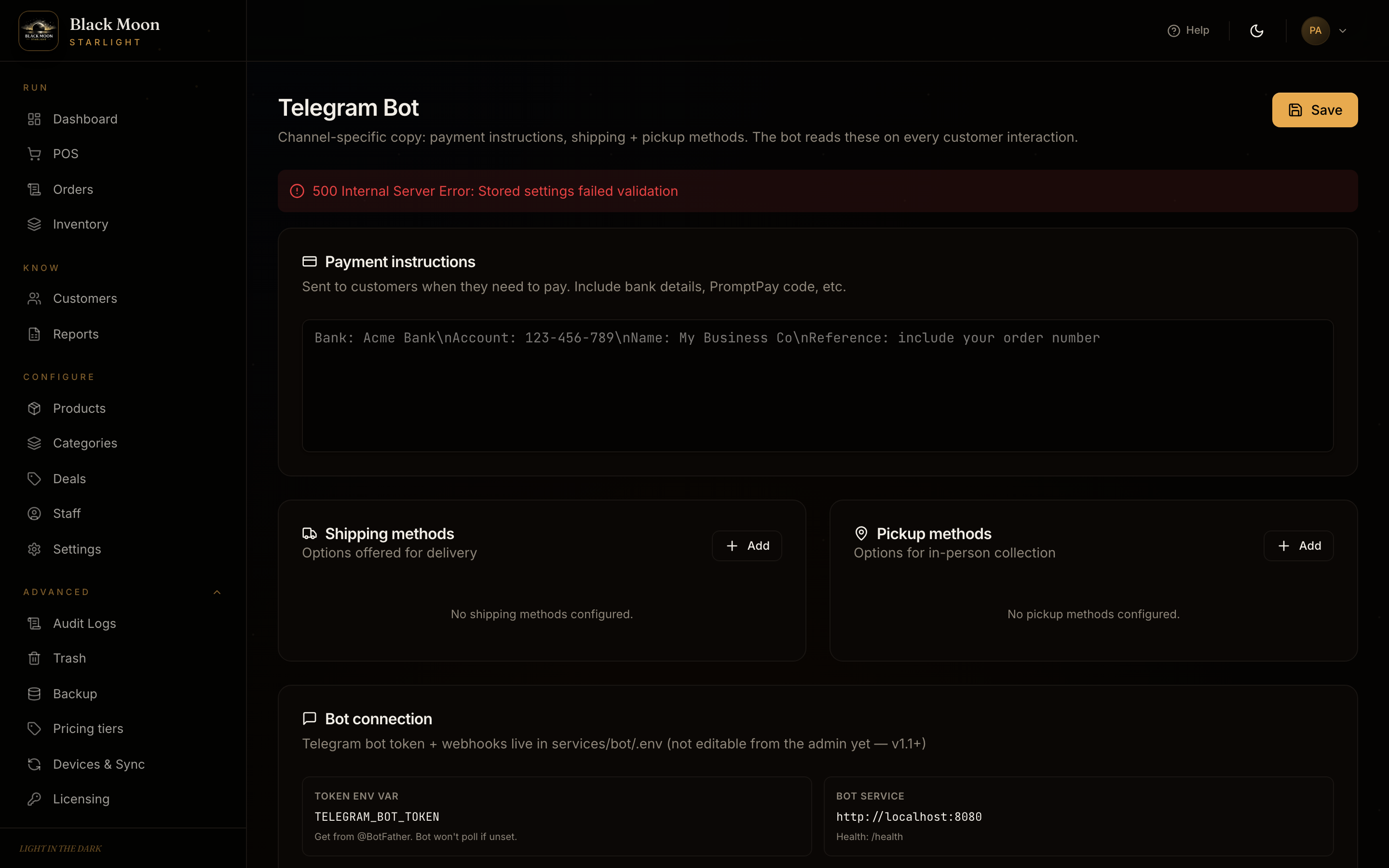
Customers can order on Telegram.
Without you typing back.
Hook up a Telegram bot once. Customers message your shop like they're texting a friend — "do you have any of those candles left?" — and the bot looks it up and takes the order. You see it in the same screens you already use and tap to confirm before anything goes out.
Write the bot's greeting, set your shipping options, list your payment methods — all on one page. Don't use Telegram? Skip this whole bit. The shop works the same.
Built like a bank, not like an app.
Your shop's data is the most valuable thing you own — your customers, your prices, your takings. We treat it that way. Here's what that looks like in plain English.
Extra sign-in code from your phone
Like your bank — after your password, the app asks for a 6-digit code from an app on your phone. If someone steals your password, they still can't get in. Lost your phone? We give you 10 backup codes when you set it up.
Your password is never stored
Even we couldn't look up your password if we wanted to. If someone ever broke into the computer the shop runs on, they'd find scrambled garbage where the password should be — no way to log in with it.
Payment screenshots are locked away
When a customer sends a photo of their bank transfer, the photo is stored scrambled — readable only by your shop. If someone copied the file off your computer, they couldn't open it.
Your shop's data stays on your shop's machine
Even if you run several shops, each one's data is locked to itself. Your café's customer list never accidentally turns up in your candle shop's reports. No mixing, no leaks, no nasty surprises.
It won't fill up your hard drive
Logs and history older than 90 days get cleaned up automatically. You won't come in one morning to a "disk full" warning because the shop's been chatting to itself for a year.
We watch for security holes every day
Automated scans check every change we make for known weaknesses. Updates to anything we use get reviewed weekly. No default passwords — the very first time you install, the app refuses to start until you pick a real one.
A proper app for your Mac.
Not a website pretending to be an app. A real Mac app you double-click to open, that sits in your Dock, that you can search for in Spotlight. Drop it in your Applications folder and you're ready to take payments.
- ·Works without internet — keep selling even if the wifi goes out
- ·Everything stays on your Mac. Nothing gets uploaded anywhere
- ·Updates come down automatically. Same as any other Mac app
- ·Windows and PC versions coming next year
Free to try. No card needed to download.
Your shop.
Your computer.
Your data.
Most modern shop software is run by some company in a faraway office, and you're just renting access. Starlight is the other way around. It lives on your Mac. You own it. We don't sit in the middle of anything.
Your data
Customers, products, sales — all saved on your computer. Backed up automatically every night to a folder you choose, like iCloud or Dropbox.
Your customers
We never see your customer list. It doesn't get uploaded anywhere. We don't sell it, can't sell it, wouldn't know how to.
Your prices
Set them, change them, run sales, give a regular a discount. We don't get a cut, don't nag you to charge more, don't shove ads in your customers' face.
Your devices
Use it on your Mac. Add an iPad at the counter. Add another Mac in the back office. They all talk to each other over your shop's wifi — no cloud in the middle.
Your updates
New versions are yours to take when you want them. Skip an update. Stay on the one you trust. We won't change things under you on a Tuesday morning.
Your way out
Save everything to a spreadsheet whenever you want. If you ever decide to switch to something else, your data is right there waiting for you. Nothing locked up, nothing held hostage.
Pay once. Yours forever.
No monthly bill. No surprise charges. No cut of your sales. Pick the size that fits the number of shops you have today — you can move up later and just pay the difference.
- One shop
- Telegram order-taking
- Your customer + product list
- Take payments by photo (bank transfer)
- Import + export to spreadsheet
- Free updates, forever
- Up to 3 shops
- Staff logins — manager, cashier, etc.
- Better reports — trends, busy hours
- Change prices in bulk
- Built-in helper that answers customer questions
- Free updates, forever
- Unlimited shops
- Different name + logo per shop
- Priority email support
- Smart deals that run themselves
- First look at new features
- Free updates, forever